Rules and AI for Everyday Email Management
Mail Defender is a suspicious email protection service for businesses. It connects to your IMAP email environment and checks incoming messages at regular intervals. Allow/block rules and optional AI assessment help identify messages to move to a quarantine folder.
Review quarantined messages in the admin interface and restore those you need to the inbox. Reduce routine sorting while adjusting receiving rules to suit your organization and the people managing its mail.
Considering Mail Defender?Talk to us about your email environment, pricing and operations.。
Features
Rules First, AI When Needed
Registered allow/block rules are checked first. Messages that do not match a rule can be assessed by AI when this option is enabled, using information such as the sender, subject and body to assist sorting.
Automatic Quarantine
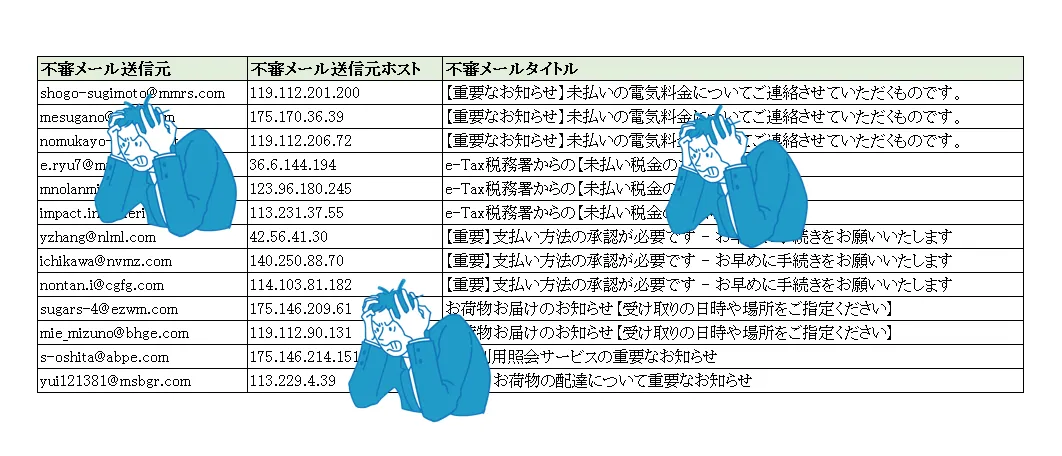
Messages identified as suspicious during scheduled checks are moved to a quarantine folder. There is a delay between receipt and quarantine, but the service reduces manual sorting and makes important messages easier to review.
Review & Restore Quarantined Email
Quarantined messages can be reviewed in the admin interface. Within the retention period, you can restore a message to the inbox and add its sender to the allow list. Messages deleted after the retention period cannot be restored.
Receiving Rules for Your Organization
Set allow/block conditions by email address, domain, IP address or country/region. Combine shared and administrator-specific rules, and revise them as your partners and business needs change.
Manage Multiple Mailboxes & Blocking History
Register multiple email addresses for protection and enable or disable them individually. Blocking history shows senders, subjects and quarantine times, with filters for each protected address.
Who It Is For
- Teams spending too much time sorting spam and suspicious messages
- Businesses that want to retain their existing IMAP email environment
- Organizations that need to review and restore quarantined messages
- Teams organizing multiple mailboxes and receiving rules
System Interface
The Mail Defender admin interface brings protected email addresses, blocking history and receiving rules together. Review and restore quarantined messages, and adjust settings as your daily operations change.
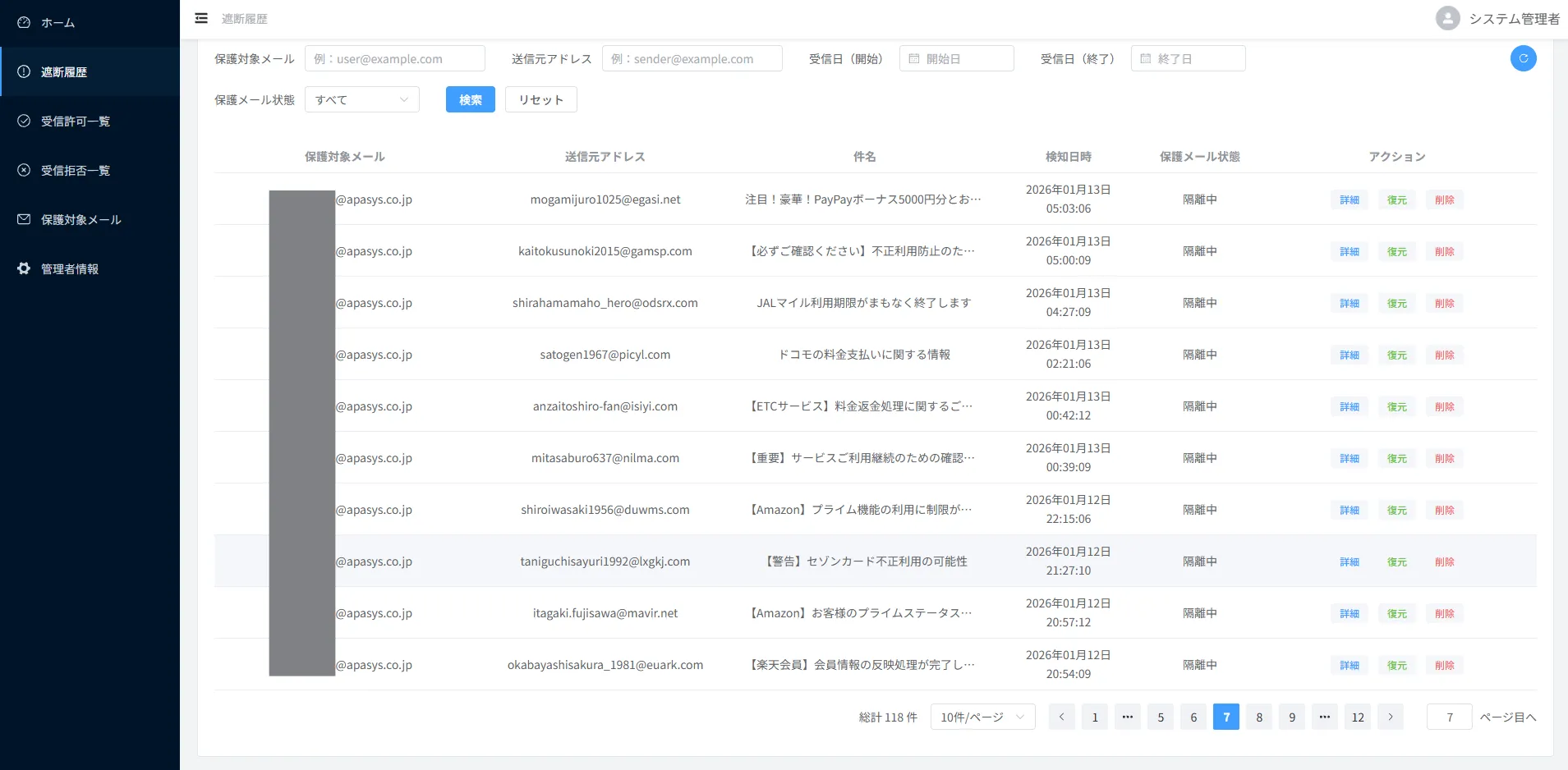 Open the enlarged screenshot in a new tab
Getting Started
- Review Your Email Environment
Confirm IMAP connectivity, authentication methods and the email addresses you want to protect. - Configure Mailboxes & Receiving Rules
Set connection details, allow rules for business partners, block rules and whether to use AI assessment. - Start Scheduled Checks & Operations
Review blocking history, restore messages when needed and refine receiving rules.
When AI assessment is enabled, information such as senders, subjects and message bodies is sent to an external AI service. During setup, confirm that the settings meet your environment and internal information management policies.